Skip to content
KaloBiteGet the app

KaloBite for Android

Snap your meal.
Get the calories.

Point your camera at a plate. KaloBite estimates the calories, protein, carbs and fat in seconds, then counts them against daily targets set for your body and your goal.

Free to start · Android · v1.0.0

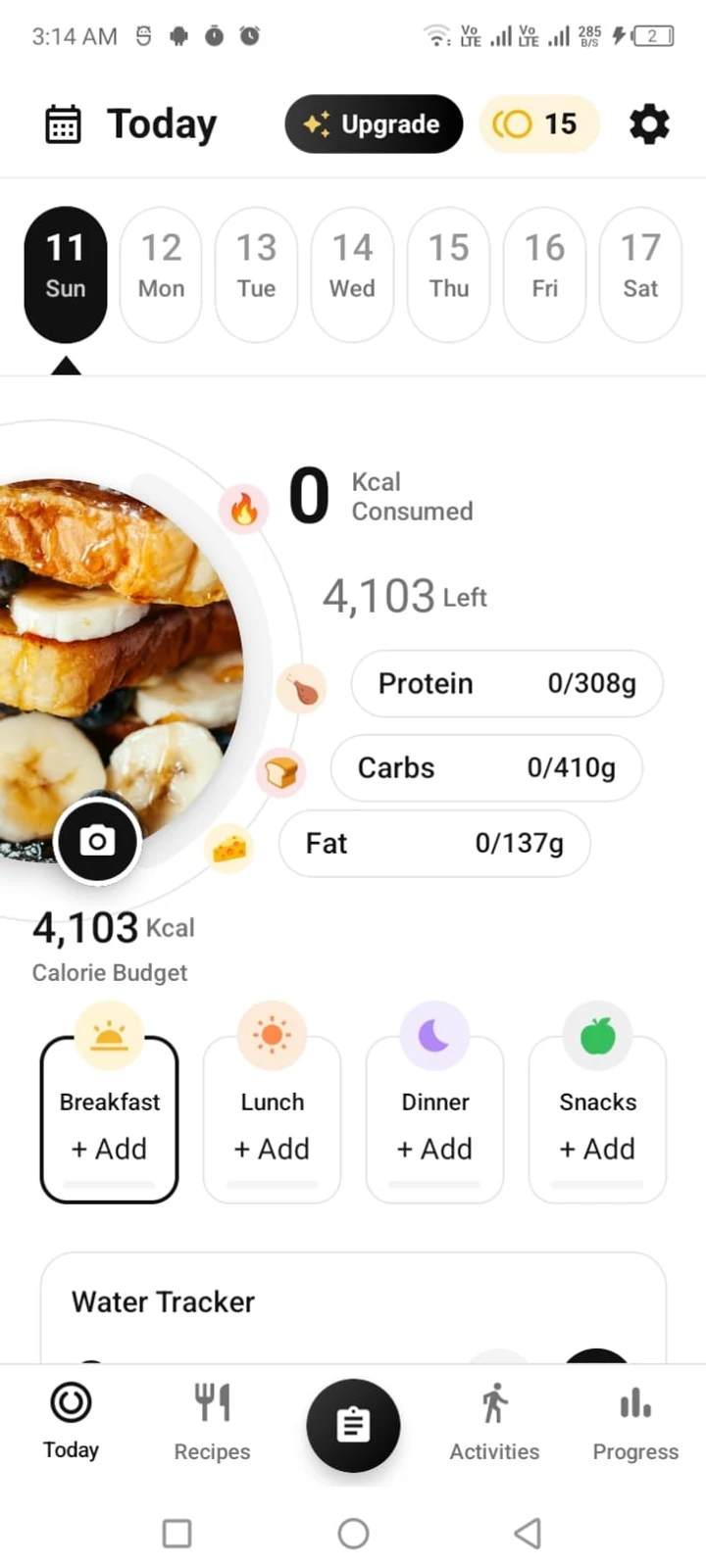
KaloBite's Today screen: a 4,103 kcal calorie budget, 0 consumed, protein, carbs and fat targets, and buttons to add breakfast, lunch, dinner and snacks.

The problem

Logging food by hand doesn’t last.

Search a database, pick a match, guess the portion, then do it again for every ingredient. It takes minutes per meal, so most people give up within a week. KaloBite replaces the typing with a photo.

Typing it in

  1. Search
  2. Pick a match
  3. Guess the portion
  4. Repeat per item

With KaloBite

  1. Take a photo
  2. Check the estimate

Features

What KaloBite does.

Six things, each built to make logging faster or give you a reason to keep going.

  • AI meal scan

    Photograph a plate and get estimated calories and a protein, carbs and fat breakdown in seconds.

  • Targets built for you

    Daily calorie and macro targets calculated from your sex, age, height, weight, activity and goal. Adjust any of them by hand.

  • Challenges and streaks

    Daily and multi-day challenges, streaks, badges and levels give you a reason to log again tomorrow.

  • Programs and recipes

    Follow a program, or save recipes with cooking time, calories and protein shown up front.

  • Water, weight and activity

    Log them next to your meals and see the history in progress charts.

  • Sync across devices

    Sign in and your logs, targets and progress follow you to any phone.

Calorie and macro figures are estimates. KaloBite is a tracking tool, not a medical device.

How it works

Three steps, every day.

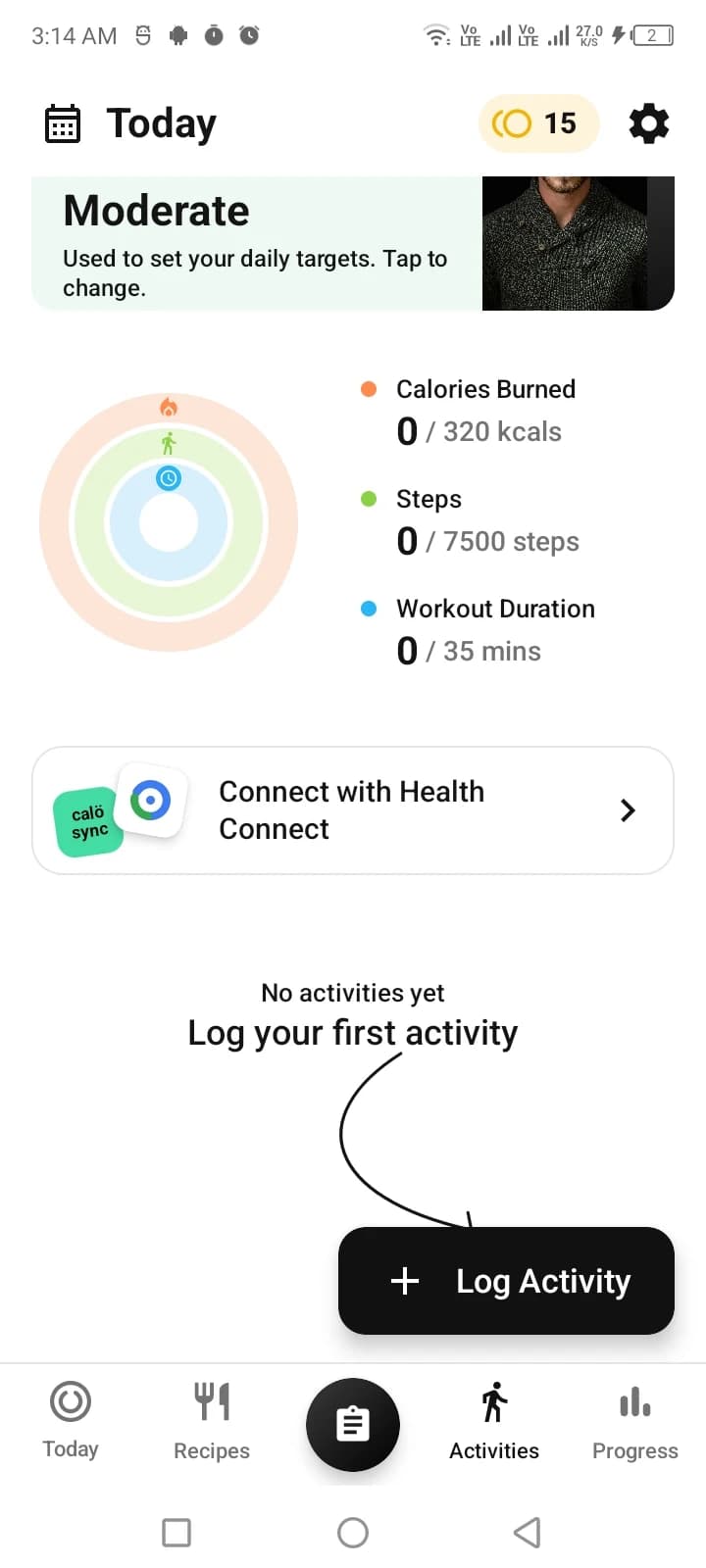
  1. Activity level card reading 'Moderate: used to set your daily targets', above rings for calories burned, steps and workout time.

    Step 1

    Set your targets

    Answer six questions and get daily calorie and macro targets.

  2. Today screen with the camera button over a meal photo, next to calories consumed and protein, carbs and fat totals.

    Step 2

    Snap your meal

    Take a photo and KaloBite estimates the calories and macros.

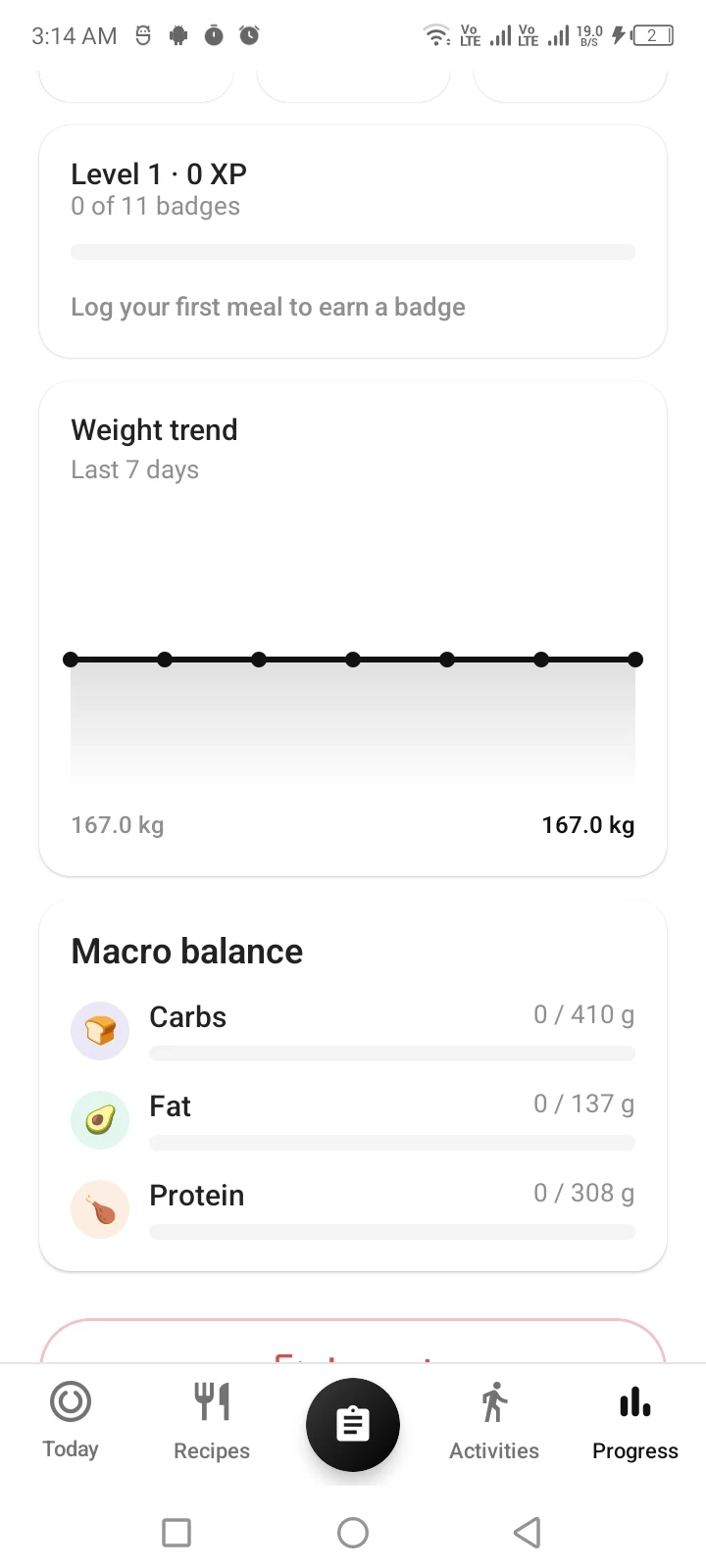
  3. Progress screen showing Level 1, 0 of 11 badges earned, and a seven-day weight trend chart.

    Step 3

    Track your streak

    Log every day to keep your streak, earn badges and level up.

Screenshots

Inside the app.

Real screens from the current build.

Today screen with a calorie budget ring, protein, carbs and fat targets, and breakfast, lunch, dinner and snack slots.
TodayCalorie budget, macros and meals at a glance.

Placeholder

Meal scan screen

public/screenshots/scan.webp
720 × 1600

Meal scanPhoto in, calories and macros out.
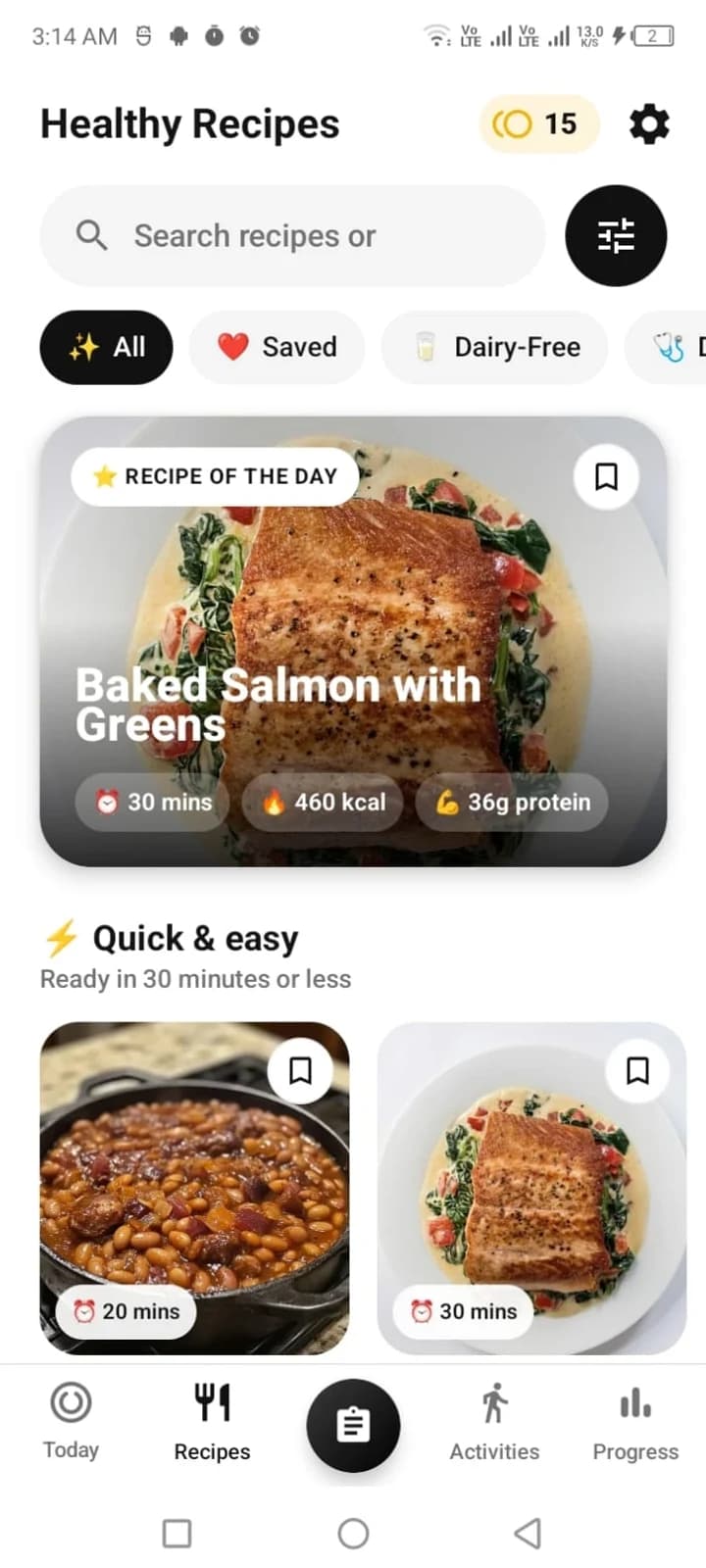
Healthy Recipes screen featuring baked salmon with greens at 30 minutes, 460 kcal and 36 g protein.
RecipesRecipe of the day, quick meals and saved favourites.
Activities screen with rings for calories burned, steps and workout duration, and a Log Activity button.
ActivitiesCalories burned, steps and workout time against daily goals.
Progress screen with level and badge progress, a seven-day weight trend and macro balance bars.
ProgressLevels, badges, weight trend and macro balance.

Placeholder

Challenges screen

public/screenshots/challenges.webp
720 × 1600

ChallengesDaily and multi-day challenges with streaks.

Pricing

Free to start. PRO when you want more.

Everything you need to track is free. PRO removes the limits and the ads.

Free

$0forever

Track meals, targets and progress at no cost.

  • AI meal scans, up to [free allowance]
  • Personalised daily calorie and macro targets
  • Water, weight and activity logging
  • Progress charts and history
  • Selected programs and challenges
  • Sync across devices when you sign in
  • Includes ads

KaloBite PRO

Upgrade in app

[PRO price]/ [period]

Everything in Free, plus:

  • More AI meal scans, up to [PRO allowance]
  • Every program and challenge unlocked
  • Ad-free tracking
  • PRO on every device you sign in to

PRO is bought inside the app after you install it.

Case study

How KaloBite is built.

I designed and built KaloBite end to end: the product, the interface and the engineering behind it. These are the problems that shaped it.

Role
Product design and engineering
Platform
Android
Stack
[languages, frameworks, backend]
Timeline
[start – release]

01

Meal scan: photo to macros

One photo has to become a calorie estimate and a protein, carbs and fat breakdown fast enough that logging feels instant.

Placeholder: how I solved it

Model or API used, how the image is sent and processed, typical response time, what happens on a low-confidence or failed scan, and how users correct an estimate.

02

Targets from six inputs

Daily calorie and macro targets come from sex, age, height, weight, activity level and goal, and any of them can be overridden by hand.

Placeholder: how I solved it

The formula used, activity multipliers, how the goal sets the deficit or surplus, how macros are split, and how manual overrides are stored.

03

One account, every device

Logs, targets, progress and PRO status belong to the account, not the phone. Sign in on a new device and everything is there.

Placeholder: how I solved it

Auth provider, database, sync strategy and conflict handling, offline behaviour, and how the PRO entitlement is verified.

04

Challenges, streaks and levels

Daily and multi-day challenges, streaks, badges and XP levels exist to bring people back tomorrow, so the rules have to feel fair.

Placeholder: how I solved it

How streak and challenge progress are calculated (day boundaries, time zones, missed days) and how badges and XP are awarded.

Results and what’s next

Placeholder: measurable outcomes

Only numbers you can back up: scan response time, APK size, crash-free sessions, test coverage, retention if you track it. Then two or three things you would build or change next.

Try it on your next meal.

Download the APK